Next.js vs WordPress: Which One for Your Business Website?
Both can power an excellent business website. The right choice depends on who edits the content, which features you need and who maintains the site after launch.
Next.js or WordPress: which should you choose?
WordPress is the better choice when non-technical people must publish and edit content often, when a standard blog or shop is enough and when the budget is limited. Next.js is the better choice when speed, security, custom features or a future web application matter more, and a developer is available to maintain it. Neither is "better" in absolute terms: they solve different problems. This comparison is based on real migrations, including essadikine.com, which moved from WordPress to Next.js 16.
What is the difference between Next.js and WordPress?
- WordPress is a content management system (CMS) written in PHP with a MySQL database. You install a theme and plugins, then edit pages in an admin panel. Pages are usually generated on each request, with caching plugins to speed things up.
- Next.js is a React framework for building websites and applications in code. Pages can be pre-rendered at build time, rendered on the server or updated in the background. There is no admin panel by default: content lives in files, a database or a separate CMS.
In short, WordPress is a ready-made product you configure; Next.js is a toolkit a developer uses to build exactly what you need.
How do they compare at a glance?
| Criterion | WordPress | Next.js |
|---|---|---|
| Performance | Good with a light theme and caching; often slowed by heavy themes and plugins | Very good by default with static pages and optimized images |
| SEO | Strong with an SEO plugin; quality depends on theme and plugins | Strong when the developer sets metadata, sitemap and structured data |
| Security | Large attack surface (plugins, admin login); needs regular updates | Small attack surface for static pages; no public admin by default |
| Initial cost | Lower for standard sites | Higher, since more is built in code |
| Running cost | Plugin licences, updates, security | Hosting and developer time for changes |
| Content editing | Excellent for non-developers | Needs a CMS or a developer |
| Custom features | Plugins, or custom PHP | Anything: dashboards, client areas, APIs |
| Skills needed | Easy to find WordPress profiles | Requires React / TypeScript developers |
Which is faster: Next.js or WordPress?
A well-built WordPress site can be fast. In practice, many business sites use a multipurpose theme, a page builder and a dozen plugins, each loading its own scripts and styles. The result is often a heavy page on mobile.
Next.js starts from a better baseline: pages can be pre-rendered as HTML, images are resized and lazy-loaded with the next/image component, and only the JavaScript needed for each page is sent. That makes good Core Web Vitals easier to reach, though a developer can still make a slow Next.js site by shipping large libraries.
Which is better for SEO?
Google ranks pages, not frameworks. Both can rank very well if the basics are right: crawlable HTML, unique titles and descriptions, clean URLs, a sitemap, internal links, fast pages and useful content.
- With WordPress, an SEO plugin covers most on-page settings in a few clicks, which is a real advantage for non-technical teams.
- With Next.js, metadata, hreflang, sitemaps and JSON-LD are written in code. It takes more setup, but gives precise control, for example real language URLs for French and Arabic versions. The SEO, GEO and AEO checklist for Next.js shows how.
Which is more secure?
Most WordPress security problems come from outdated plugins and themes, weak admin passwords and abandoned sites that nobody updates. WordPress itself is actively maintained; the risk is in the ecosystem and in maintenance habits.
A statically generated Next.js site has much less to attack: no public login page, no database queried on each visit, no plugins installed from third parties. The remaining risks are in your own API routes, forms and dependencies, which still need updates.
If you stay on WordPress, a few settings help:
// wp-config.php
define( 'DISALLOW_FILE_EDIT', true );   // no theme/plugin editor in the admin
define( 'WP_AUTO_UPDATE_CORE', 'minor' ); // automatic security releases
Add regular backups, two-factor authentication for admins and a strict limit on the number of plugins.
How much does each option cost?
Costs depend on the provider and scope, so think in terms of structure rather than precise numbers:
- WordPress: lower initial cost for a standard site, because themes and plugins do much of the work. Recurring costs include premium plugin licences, updates and security monitoring.
- Next.js: higher initial cost, because design and features are built in code. Running costs can be low (static hosting, few moving parts), but each structural change needs a developer.
For Moroccan budgets, see the indicative ranges in the website creation price guide for Morocco.
Who can edit the content?
This is often the deciding factor. If a marketing team publishes several articles a week, edits pages and manages products without help, WordPress is hard to beat.
With Next.js, three options exist:
- Content in files (Markdown or TypeScript) edited by a developer: simple and fast, fine when content changes rarely.
- A headless CMS (Sanity, Strapi, Contentful, Payload…) that gives editors an admin panel.
- Headless WordPress: editors keep the WordPress admin they know, and Next.js displays the content.
What is headless WordPress with Next.js?
WordPress exposes content through its REST API at /wp-json/wp/v2/. Next.js fetches it, pre-renders the pages and refreshes them in the background:
// app/blog/[slug]/page.tsx
import { notFound } from "next/navigation";

export const revalidate = 3600; // refresh at most once per hour

const API = "https://cms.example.com/wp-json/wp/v2";

type WpPost = { slug: string; title: { rendered: string }; content: { rendered: string } };

export async function generateStaticParams() {
  const res = await fetch(`${API}/posts?per_page=100&_fields=slug`);
  const posts: { slug: string }[] = await res.json();
  return posts.map((p) => ({ slug: p.slug }));
}

export default async function Post({ params }: { params: Promise<{ slug: string }> }) {
  const { slug } = await params;
  const res = await fetch(`${API}/posts?slug=${encodeURIComponent(slug)}`);
  const [post]: WpPost[] = await res.json();
  if (!post) notFound();

  return (
    <article>
      <h1 dangerouslySetInnerHTML={{ __html: post.title.rendered }} />
      <div dangerouslySetInnerHTML={{ __html: post.content.rendered }} />
    </article>
  );
}
The WordPress admin can then be restricted to the team, while visitors only see the fast Next.js front end. The trade-off: two systems to host and maintain, and features such as previews need extra work. See the official Next.js data fetching documentation for details.
When should you choose WordPress?
- A showcase site or blog with frequent edits by non-developers.
- A tight budget and a short timeline.
- Standard needs well covered by mature plugins (forms, simple shop, multilingual).
- A team that will maintain updates over time.
The immersive virtual tours sites, for example, use WordPress with custom PHP templates, a good fit for content-driven showcase pages.
When should you choose Next.js?
- Performance and Core Web Vitals are a priority (mobile traffic, ads landing pages).
- Custom features: client area, dashboard, booking, integrations with an API or ERP.
- A site that will grow into a web application.
- Bilingual or trilingual sites needing precise control over URLs and hreflang.
- Security requirements that favour a minimal attack surface.
Conclusion
WordPress wins on editing autonomy and speed of setup; Next.js wins on performance, security and custom features. If you hesitate, ask two questions: who will edit the site every week, and will it need features beyond pages and a blog? The answers usually decide. For a fast, SEO-ready Next.js site or application, see the web development service or the full-stack developer profile.

Related projects
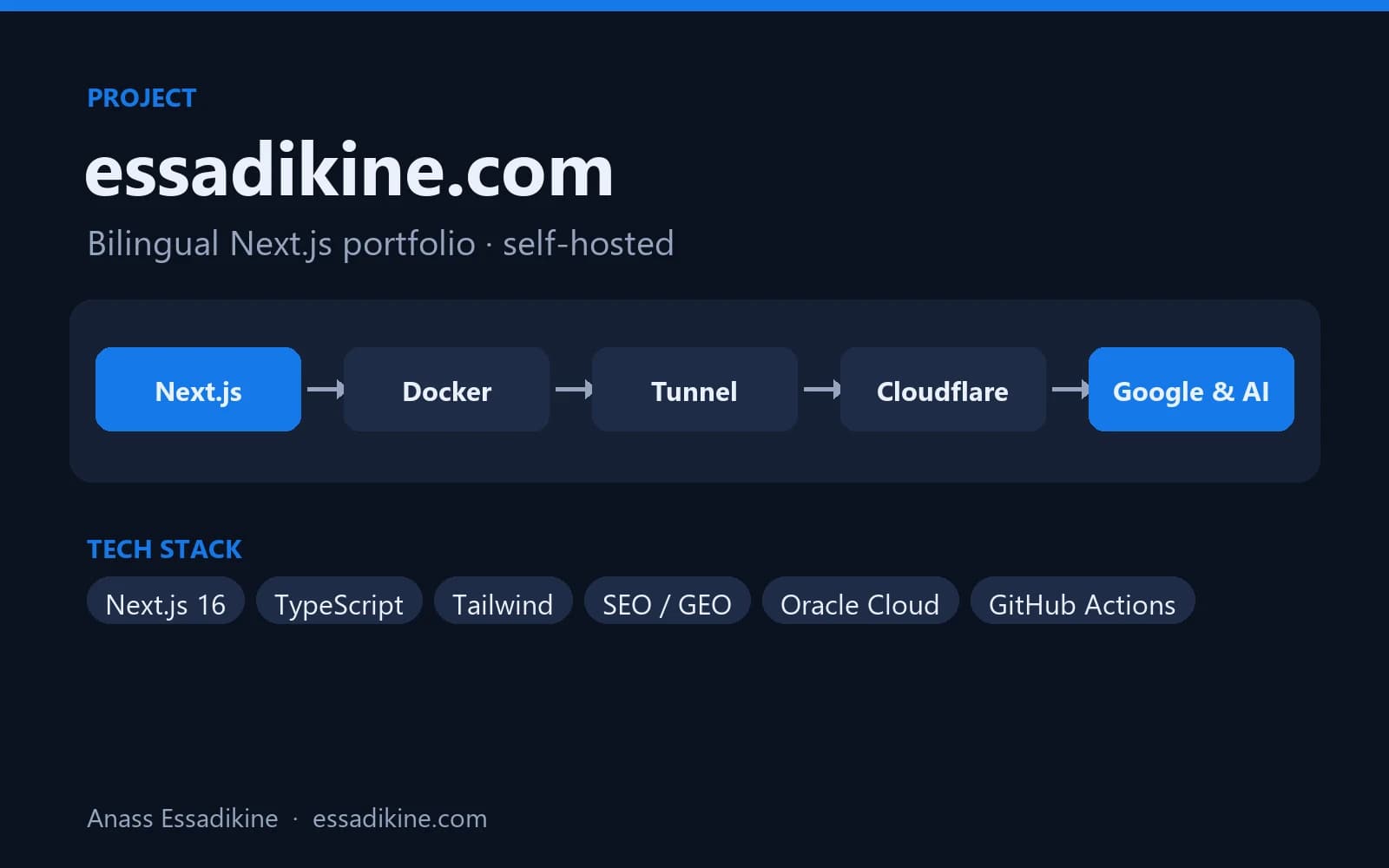 Software EngineeringPersonal project · 2026
essadikine.com — Bilingual Next.js Portfolio
This website: a fast, bilingual (EN/FR) portfolio optimised for Google and AI answer engines, self-hosted with Docker behind Cloudflare.
 WebsitesClient project · 2024
Immersive Virtual Tours for Businesses
Interactive showcase websites for virtual visits of professional spaces.
Frequently asked questions
Not automatically. Both can rank very well; Next.js makes speed and fine control over metadata easier, while WordPress makes on-page SEO easier for non-developers through plugins. Content quality and technical basics matter more than the tool.