Machine Learning for Beginners in Python: Forecast Sales with scikit-learn
A first machine-learning project you can run in a few minutes: generate sales data, build features, train two regression models, evaluate them honestly and forecast the next week.
The easiest way to start machine learning in Python is a small, concrete project: forecasting daily sales from a table of past data. You need three libraries — pandas, NumPy and scikit-learn — a few lines to turn dates into numeric features, a regression model, and an honest evaluation against a simple baseline. The complete code below runs as-is: it generates its own data, so you do not need any file.
What is machine learning, in simple terms?
Machine learning means letting a program learn a rule from examples instead of writing the rule by hand. You give the model rows of past data — inputs (the features) and the answer you want to predict (the target) — and it finds the relationship between them. Then you give it new inputs and it predicts the answer.
There are three big families:
| Family | What the model learns | Business example |
|---|---|---|
| Supervised – regression | A number | Tomorrow's sales, a delivery time, a price |
| Supervised – classification | A category | Will this customer churn? Is this transaction suspicious? |
| Unsupervised | Groups or anomalies, without a target | Customer segments, unusual data points |
Sales forecasting is supervised regression: the target is a number. It is a good first project because the data is easy to understand and the result is directly useful.
What do you need to start?
- Python 3.10+ and a code editor (VS Code) or Jupyter.
- Basic Python: variables, lists, functions, loops.
- Three libraries:
pip install pandas numpy scikit-learn. - Some curiosity about the data. You do not need advanced maths to begin; you will learn the intuition first.
How do you forecast sales in Python, step by step?
Copy the blocks below, one after the other, into a single file sales_forecast.py, then run python sales_forecast.py.
Step 1 — Generate a realistic sales dataset
Real projects start from historical data exported from a point-of-sale system, an ERP or a data warehouse. Here, we build two years of daily sales for one store with patterns a real shop might have: slow growth, busier weekends, a yearly cycle, promotion days and random noise.
import numpy as np
import pandas as pd
from sklearn.ensemble import RandomForestRegressor
from sklearn.linear_model import LinearRegression
from sklearn.metrics import mean_absolute_error, r2_score

# 1. Generate two years of synthetic daily sales for one store
rng = np.random.default_rng(42)
dates = pd.date_range("2024-01-01", "2025-12-31", freq="D")
n = len(dates)

promo = rng.random(n) < 0.15                      # promotion about 15% of days
trend = np.linspace(0, 40, n)                     # slow growth
weekly = np.where(dates.dayofweek >= 5, 60, 0)    # busier weekends
yearly = 30 * np.sin(2 * np.pi * dates.dayofyear / 365.25)
noise = rng.normal(0, 15, n)

sales = 200 + trend + weekly + yearly + 80 * promo + noise
df = pd.DataFrame({"date": dates, "promo": promo.astype(int), "sales": sales.round()})
The seed (42) makes the random numbers reproducible: you get the same dataset every time.
Step 2 — Turn the date into features
A model cannot use a date directly. We extract what matters: the position in time (for the trend), the day of the week, the month and whether it is a weekend.
# 2. Feature engineering: turn the date into numbers a model can use
df["day_index"] = np.arange(n)
df["day_of_week"] = df["date"].dt.dayofweek
df["month"] = df["date"].dt.month
df["is_weekend"] = (df["day_of_week"] >= 5).astype(int)
features = ["day_index", "day_of_week", "month", "is_weekend", "promo"]
This step — feature engineering — often matters more than the choice of algorithm.
Step 3 — Split the data by time
For a forecast, you must test the model on a period it has never seen, located after the training period. A random split would let the model "peek" at the future and give overly optimistic scores.
# 3. Time-based split: train on the past, test on the last 90 days
train, test = df.iloc[:-90], df.iloc[-90:]
X_train, y_train = train[features], train["sales"]
X_test, y_test = test[features], test["sales"]
Step 4 — Build a baseline
Before any model, compute what a naive method would give. Here: always predict the average of the last four weeks. If your model does not clearly beat this, it is not useful.
# 4. Baseline: predict the average of the last 28 training days
baseline = np.full(len(test), y_train.iloc[-28:].mean())
print(f"Baseline          MAE = {mean_absolute_error(y_test, baseline):.1f}")
Step 5 — Train and compare two models
We compare a linear regression (simple, explainable) with a random forest (more flexible). The metric is the MAE (mean absolute error): on average, how many units the prediction is off by. R² tells how much of the variation is explained (1 = perfect).
# 5. Train and compare two models
models = {
    "LinearRegression": LinearRegression(),
    "RandomForest": RandomForestRegressor(n_estimators=200, random_state=42),
}
for name, model in models.items():
    model.fit(X_train, y_train)
    pred = model.predict(X_test)
    print(f"{name:<17} MAE = {mean_absolute_error(y_test, pred):.1f}"
          f"  R2 = {r2_score(y_test, pred):.2f}")
Step 6 — Forecast the next 7 days
# 6. Forecast the next 7 days (no promotion planned)
future_dates = pd.date_range(df["date"].max() + pd.Timedelta(days=1), periods=7)
future = pd.DataFrame({
    "date": future_dates,
    "day_index": np.arange(n, n + 7),
    "day_of_week": future_dates.dayofweek,
    "month": future_dates.month,
    "is_weekend": (future_dates.dayofweek >= 5).astype(int),
    "promo": 0,
})
future["forecast"] = models["LinearRegression"].predict(future[features]).round()
print(future[["date", "forecast"]].to_string(index=False))
How do you read the results?
With recent versions of NumPy and scikit-learn, the script prints approximately the following (exact values can differ slightly between versions):
| Model | MAE (units/day) | R² |
|---|---|---|
| Baseline (28-day average) | about 37 | — |
| Linear regression | about 18.5 | about 0.77 |
| Random forest | about 19.6 | about 0.74 |
Three lessons for a beginner:
- Both models halve the baseline error. That is the first thing to check, and the reason a baseline always comes first.
- The more complex model is not better here. The random forest cannot extrapolate a trend beyond the values it has seen, while the linear regression extends the growth naturally. Always compare; never assume.
- The forecast is readable. The 7-day output shows higher values on Saturday and Sunday, exactly the weekly pattern in the data. If a forecast looks strange, check the features before changing the algorithm.
What mistakes should beginners avoid?
- Random train/test split on time data — it leaks the future into training.
- No baseline — a score means nothing without a reference.
- Using information unknown at prediction time — for example tomorrow's actual number of customers as a feature.
- Judging a model on a single metric — look at the errors on a chart too, especially on holidays and promotion days.
- Skipping data cleaning — real sales data has missing days, returns and duplicated lines; see data quality and anomaly detection.
How do you go from this tutorial to a real project?
A real forecast adds a few layers:
- Real data extracted from the sales system and cleaned by a pipeline (see ETL vs ELT).
- Business features: public holidays, Ramadan and Eid periods for Moroccan retail, school calendar, prices, stock-outs.
- Proper validation with several successive time windows (
TimeSeriesSplitin scikit-learn). - Delivery of the predictions to users: a web app, an API or a Power BI dashboard.
This is the path taken in the Sales Prediction App with Django & ML, an academic project: historical data was cleaned and explored with pandas and NumPy, regression models were trained and compared with scikit-learn, and the predictions and charts (Matplotlib, Seaborn) were served through a Django web interface instead of spreadsheets.
To go further, the official scikit-learn getting started guide is short and well written.
Conclusion
A first machine-learning project does not need big data or complex maths: a clear question, good features, a time-based split, a baseline and two models to compare are enough to learn the essential reflexes. Run the script, change the features, add a holiday column, and watch how the errors move. To see how machine learning fits with data engineering and BI in a complete profile, visit the Data & AI Engineer page.

Related projects
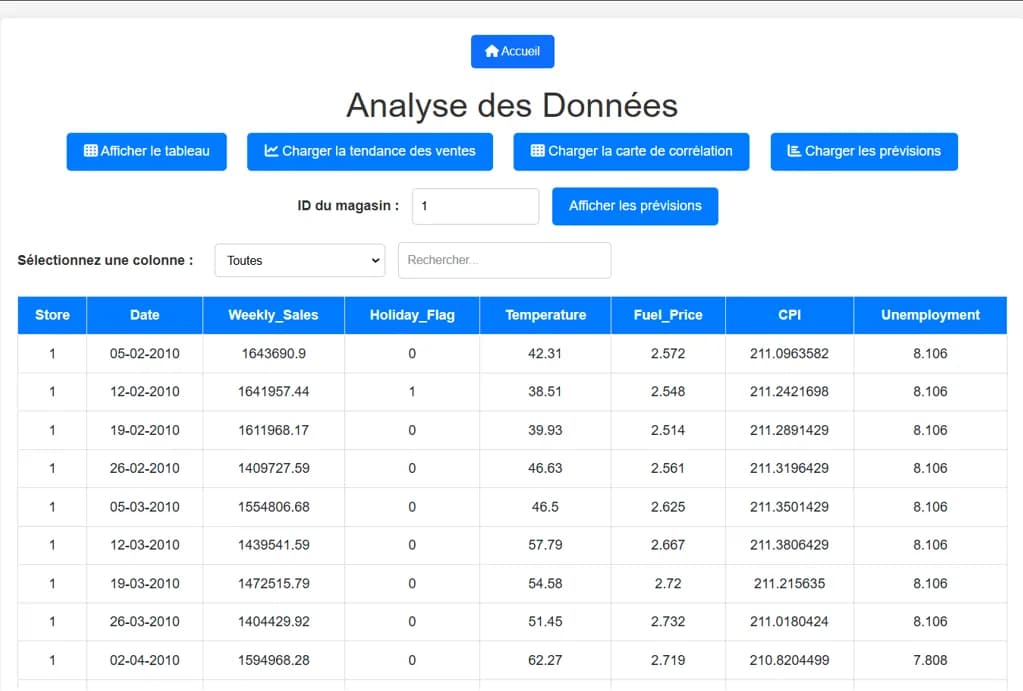 AI & AutomationAcademic project · 2024
Sales Prediction App with Django & ML
A predictive analytics web app that forecasts sales and shows the results through interactive charts.
Frequently asked questions
Yes, to start. Libraries like scikit-learn hide the calculations, so you can first learn the workflow: preparing data, splitting, training, evaluating. Statistics and linear algebra become useful later, to understand why a model behaves as it does.