ETL vs ELT: Differences, Examples in Python and SQL, and How to Choose
ETL transforms data before loading it; ELT loads raw data first and transforms it inside the warehouse. Here is what changes in practice, with code you can run.

ETL and ELT do the same three things — extract, transform, load — in a different order. ETL transforms the data before loading it into the target database; ELT loads the raw data first and transforms it inside the warehouse, usually with SQL. The right choice depends on your volumes, your target database and the skills of the team that will maintain the pipeline.
What is ETL?
ETL stands for Extract, Transform, Load:
- Extract — read data from its sources: CSV or Excel exports, an ERP, a CRM, an API, a production database.
- Transform — clean and reshape it outside the target: fix types, remove duplicates, standardise labels, compute amounts, join sources.
- Load — write the clean result into the target (a data warehouse, a reporting database, a data mart).
The transformation runs in a dedicated engine: a Python script with pandas, a visual tool like KNIME, Talend or SSIS. The warehouse only receives data that is already clean.
What is ELT?
ELT stands for Extract, Load, Transform. Raw data is copied as-is into a staging area of the warehouse, then transformed inside it with SQL. Cloud warehouses (BigQuery, Snowflake, Azure Synapse, Redshift) and PostgreSQL are powerful enough to run those transformations themselves, and tools like dbt organise the SQL into versioned, tested models.
The big advantage: raw data stays available. If a business rule changes, you rerun the SQL instead of extracting everything again.
What is the difference between ETL and ELT?
| Criterion | ETL | ELT |
|---|---|---|
| Where the transformation runs | Outside the target (Python, KNIME, SSIS…) | Inside the warehouse (SQL, dbt) |
| What is stored | Clean data only | Raw data + clean models |
| Main language | Python or a visual tool | SQL |
| Volumes | Small to medium | Medium to very large |
| Sensitive data | Can be masked before loading | Raw data lands in the warehouse first |
| Reprocessing after a rule change | Re-extract and rerun the pipeline | Rerun the SQL on the raw tables |
| Typical target | On-premise database (MySQL, SQL Server, PostgreSQL) | Cloud warehouse or PostgreSQL |
Neither is "modern" or "outdated": many real pipelines mix both, with light cleaning in Python and business modelling in SQL.
How do you write an ETL in Python?
Below is a complete ETL that runs as-is with only pandas installed (pip install pandas). It uses SQLite, which ships with Python, so you do not need a database server. The data imitates a typical messy export: spaces and inconsistent case in city names, a duplicated row, a missing quantity and prices written with a French decimal comma.
Step 1 — Extract
import io
import sqlite3

import pandas as pd

# 1. EXTRACT: a raw export (in real life: pd.read_csv("ventes.csv") or an API)
RAW_CSV = """order_id,order_date,city,product,quantity,unit_price
1001,2026-09-01,Casablanca ,Laptop,1,"7 499,00"
1002,2026-09-01,rabat,Mouse,3,"149,00"
1003,2026-09-02,CASABLANCA,Keyboard,2,"299,00"
1003,2026-09-02,CASABLANCA,Keyboard,2,"299,00"
1004,2026-09-03,Marrakech,Mouse,,"149,00"
1005,2026-09-03,Tanger,Laptop,1,"7 499,00"
"""
raw = pd.read_csv(io.StringIO(RAW_CSV))
Step 2 — Transform
# 2. TRANSFORM: clean in Python before loading
df = raw.drop_duplicates().copy()
df["city"] = df["city"].str.strip().str.title()
df["order_date"] = pd.to_datetime(df["order_date"])
df["unit_price"] = (
    df["unit_price"].str.replace(" ", "", regex=False)
    .str.replace(",", ".", regex=False)
    .astype(float)
)
df = df.dropna(subset=["quantity"])
df["quantity"] = df["quantity"].astype(int)
df["amount_mad"] = df["quantity"] * df["unit_price"]
Step 3 — Load
# 3. LOAD: write the clean table into the target database
conn = sqlite3.connect("sales.db")
df.to_sql("sales_clean", conn, if_exists="replace", index=False)

print(pd.read_sql(
    "SELECT city, SUM(amount_mad) AS revenue_mad FROM sales_clean "
    "GROUP BY city ORDER BY revenue_mad DESC", conn))
conn.close()
Expected output: Casablanca 8,097 MAD, Tanger 7,499 MAD, Rabat 447 MAD. The duplicate and the row without a quantity are gone, and "Casablanca ", "CASABLANCA" are now one city.
To load into PostgreSQL instead, install sqlalchemy and psycopg2-binary, then replace the connection with create_engine("postgresql+psycopg2://user:password@localhost:5432/dwh") and pass that engine to to_sql (see the pandas documentation).
How do you write an ELT in SQL?
The same pipeline in ELT: the raw file is loaded untouched into a staging table where every column is text, and the cleaning happens in SQL. The script below is written for PostgreSQL.
-- 1. LOAD: raw data lands as-is (all text) in a staging table
DROP TABLE IF EXISTS raw_sales;
CREATE TABLE raw_sales (
  order_id   TEXT,
  order_date TEXT,
  city       TEXT,
  product    TEXT,
  quantity   TEXT,
  unit_price TEXT
);

INSERT INTO raw_sales VALUES
  ('1001', '2026-09-01', 'Casablanca ', 'Laptop',   '1', '7 499,00'),
  ('1002', '2026-09-01', 'rabat',       'Mouse',    '3', '149,00'),
  ('1003', '2026-09-02', 'CASABLANCA',  'Keyboard', '2', '299,00'),
  ('1003', '2026-09-02', 'CASABLANCA',  'Keyboard', '2', '299,00'),
  ('1004', '2026-09-03', 'Marrakech',   'Mouse',    '',  '149,00'),
  ('1005', '2026-09-03', 'Tanger',      'Laptop',   '1', '7 499,00');

-- 2. TRANSFORM: inside the warehouse, with SQL
DROP TABLE IF EXISTS sales_clean;
CREATE TABLE sales_clean AS
SELECT DISTINCT
  order_id::INT                                         AS order_id,
  order_date::DATE                                      AS order_date,
  INITCAP(TRIM(city))                                   AS city,
  product,
  quantity::INT                                         AS quantity,
  REPLACE(REPLACE(unit_price, ' ', ''), ',', '.')::NUMERIC(12, 2) AS unit_price,
  quantity::INT
    * REPLACE(REPLACE(unit_price, ' ', ''), ',', '.')::NUMERIC(12, 2) AS amount_mad
FROM raw_sales
WHERE NULLIF(TRIM(quantity), '') IS NOT NULL;

-- 3. USE: the clean model is ready for reporting
SELECT city, SUM(amount_mad) AS revenue_mad
FROM sales_clean
GROUP BY city
ORDER BY revenue_mad DESC;
In a real project, the INSERT is replaced by a bulk load (COPY in PostgreSQL, or a connector such as Airbyte or Fivetran), and each CREATE TABLE … AS SELECT becomes a dbt model with tests (not null, unique, accepted values). The raw table raw_sales stays untouched, so you can rebuild sales_clean at any time. For more queries on the clean table, see SQL queries for data analysis.
When should you choose ETL or ELT?
Choose ETL when:
- Volumes are modest and the target is a classic database (MySQL, SQL Server, PostgreSQL on a small server).
- Data must be masked or filtered before it reaches the warehouse (personal data, salaries, national ID numbers).
- Transformations need things SQL does badly: parsing PDFs, calling an API, OCR, fuzzy matching.
- The team is more comfortable in Python or with a visual tool like KNIME.
Choose ELT when:
- You use a cloud warehouse or a PostgreSQL instance with enough resources.
- Business rules change often and you want to replay history without re-extracting.
- Analysts who know SQL must be able to read and modify the transformations.
- You want versioned, tested SQL models (dbt) and full traceability from raw to clean.
In many Moroccan companies — banks, telecom operators, retailers, public bodies — data still starts as exports from an ERP or Excel files sent by email. A hybrid approach is often the most realistic: a small Python step to make files readable, then ELT in SQL for the business logic.
Which tools are used for ETL and ELT?
| Need | Common tools |
|---|---|
| Scripted ETL | Python (pandas, Polars), SQLAlchemy |
| Visual ETL | KNIME, Talend, SSIS, Power Query |
| Data ingestion (the E and L of ELT) | Airbyte, Fivetran, COPY, cloud connectors |
| In-warehouse transformation | SQL, dbt |
| Orchestration and scheduling | Airflow, Dagster, cron, n8n for light flows |
For a broader overview of these architectures, Microsoft's Extract, transform, load (ETL) guide is a good reference.
What does an ETL look like in a real project?
In the decision-support system on CNSS-style data, an academic BI project, the ETL flows were built with KNIME and Python to clean, standardise and load scattered flat files into a MySQL data warehouse modelled as a star schema, then used by Tableau dashboards. It is a classic ETL: data is cleaned before it reaches the warehouse. The target model itself is explained in what is a data warehouse.
Good practices for any pipeline
- Keep the raw data, even in ETL: a copy of each extracted file lets you replay a load.
- Make loads idempotent: running the pipeline twice must not duplicate rows (
if_exists="replace", upserts, or a load date). - Check row counts and totals between source and target at every run.
- Log rejected rows instead of silently dropping them; a quality check like the ones in data quality and anomaly detection catches problems early.
- Version the code (Git) and document each business rule next to the transformation that applies it.
Conclusion
ETL and ELT differ by one thing — where the transformation happens — but that choice affects cost, traceability and who can maintain the pipeline. Start from your target database and your team's skills, keep raw data whenever you can, and do not hesitate to combine Python and SQL. To see how these pipelines fit into a full data profile, have a look at the Data & AI Engineer page or the data engineering service.

Related projects
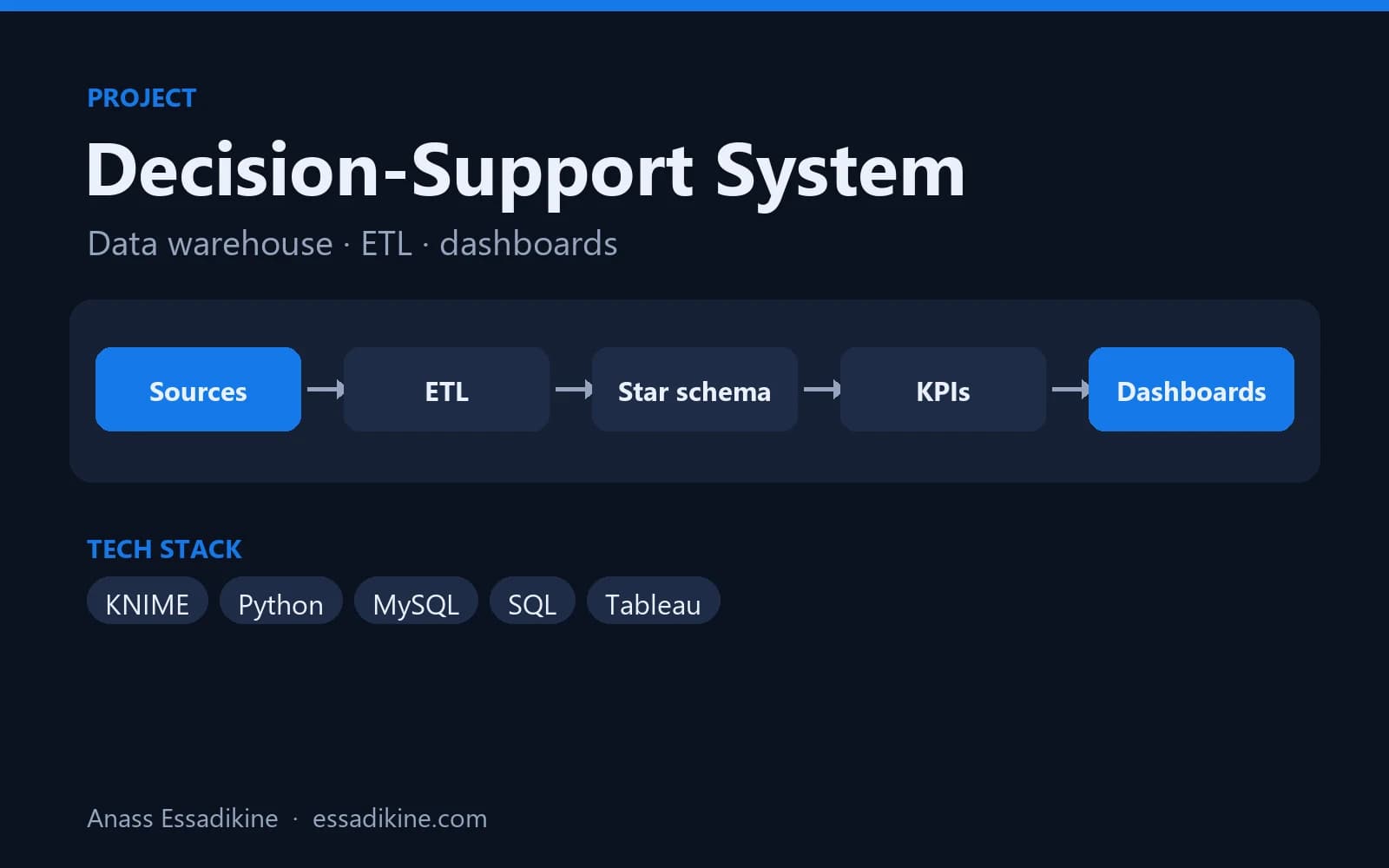 Data Analytics & BIAcademic project · 2025
Decision-Support System for Social Security Data (CNSS)
A star-schema data warehouse fed by ETL flows, with analytics dashboards for decision-makers.
Frequently asked questions
Not entirely. ELT has become common with cloud warehouses because they can run transformations at scale, but ETL remains relevant for sensitive data, complex non-SQL transformations and smaller on-premise databases. Many teams use both.