Data Warehouse Explained: Definition, Star Schema and a Retail Example in SQL
A data warehouse is a database built for analysis, not for daily operations. Here is what that means, how a star schema organises it, and a complete retail example in SQL.
A data warehouse is a database designed for analysis rather than for day-to-day operations. It gathers data from several sources (ERP, CRM, point of sale, Excel files), cleans it, keeps its history and organises it so that questions like "how much did we sell per region and per month?" can be answered quickly and consistently. Most data warehouses are modelled as a star schema: a central fact table surrounded by dimension tables.
What is a data warehouse?
The classic definition, from Bill Inmon, describes a data warehouse as subject-oriented, integrated, time-variant and non-volatile. In plain words:
- Subject-oriented — organised around business topics (sales, customers, stock), not around applications.
- Integrated — the same customer or product has one code and one label, even if each source names it differently.
- Historised — data is kept over time, so you can compare this year with last year.
- Non-volatile — data is loaded and read; it is not modified by daily transactions.
The data warehouse sits between the operational systems and the reporting tools (Power BI, Tableau, Looker Studio). It is fed by ETL or ELT pipelines (see ETL vs ELT).
What is the difference between a database and a data warehouse?
An application database and a data warehouse can both run on PostgreSQL or SQL Server. The difference is their purpose and how they are modelled.
| Criterion | Operational database (OLTP) | Data warehouse (OLAP) |
|---|---|---|
| Purpose | Run the business: record sales, orders, payments | Analyse the business: trends, KPIs, comparisons |
| Typical query | Read or update one row | Aggregate millions of rows |
| Model | Normalised (many small tables) | Denormalised star schema |
| History | Current state, often overwritten | Kept over several years |
| Users | Applications, operators | Analysts, managers, BI tools |
| Updates | Continuous, row by row | Batch loads (daily, hourly) |
Running heavy reports directly on the production database slows down the application and gives numbers that change between two refreshes. That is usually the moment a company needs a warehouse.
Data warehouse, data lake, data mart: what is the difference?
| Term | What it stores | Typical use |
|---|---|---|
| Data warehouse | Structured, cleaned, modelled data | Reporting, KPIs, dashboards |
| Data mart | A subset of the warehouse for one department | Finance, sales or HR reporting |
| Data lake | Raw files of any format (CSV, JSON, logs, images) | Data science, archiving, ingestion |
| Lakehouse | A data lake with warehouse features (tables, SQL, transactions) | Both analytics and data science |
For a company that mainly needs reliable reporting, a well-modelled warehouse on PostgreSQL or SQL Server is often enough. A data lake becomes useful with large volumes of unstructured data.
What is a star schema?
A star schema has two kinds of tables:
- Fact table — one row per measured event at a precise grain (for example one receipt line). It holds numeric measures (quantity, amount) and foreign keys to the dimensions.
- Dimension tables — the descriptive context used to filter and group: date, product, store, customer.
Here is the star schema of a retail chain with several stores:
                    ┌──────────────┐
                    │   dim_date   │
                    │  date_key PK │
                    └──────┬───────┘
                           │
┌──────────────┐   ┌───────┴────────┐   ┌───────────────┐
│  dim_store   │   │   fact_sales   │   │  dim_product  │
│ store_key PK ├───┤ date_key FK    ├───┤ product_key PK│
└──────────────┘   │ store_key FK   │   └───────────────┘
                   │ product_key FK │
                   │ customer_key FK│
                   │ quantity       │
                   │ sales_amount   │
                   └───────┬────────┘
                           │
                   ┌───────┴────────┐
                   │  dim_customer  │
                   │customer_key PK │
                   └────────────────┘
The grain of this example: one row of fact_sales = one product line on one receipt. Defining the grain first is the most important modelling decision.
How do you create a star schema in SQL?
The statements below are written for PostgreSQL and can be run as-is in a new database.
Step 1 — Create the dimensions
CREATE TABLE dim_date (
  date_key      INT PRIMARY KEY,          -- e.g. 20261012
  full_date     DATE NOT NULL UNIQUE,
  day_of_month  SMALLINT NOT NULL,
  month_number  SMALLINT NOT NULL,
  month_name    VARCHAR(20) NOT NULL,
  quarter       SMALLINT NOT NULL,
  year_number   SMALLINT NOT NULL,
  is_weekend    BOOLEAN NOT NULL
);

CREATE TABLE dim_store (
  store_key     INT GENERATED ALWAYS AS IDENTITY PRIMARY KEY,
  store_code    VARCHAR(20) NOT NULL UNIQUE,  -- code in the source system
  store_name    VARCHAR(100) NOT NULL,
  city          VARCHAR(60) NOT NULL,
  region        VARCHAR(60) NOT NULL,
  store_type    VARCHAR(30)                   -- hypermarket, proximity...
);

CREATE TABLE dim_product (
  product_key   INT GENERATED ALWAYS AS IDENTITY PRIMARY KEY,
  product_code  VARCHAR(30) NOT NULL UNIQUE,
  product_name  VARCHAR(150) NOT NULL,
  category      VARCHAR(60) NOT NULL,
  subcategory   VARCHAR(60),
  brand         VARCHAR(60)
);

CREATE TABLE dim_customer (
  customer_key  INT GENERATED ALWAYS AS IDENTITY PRIMARY KEY,
  customer_code VARCHAR(30) NOT NULL,
  segment       VARCHAR(30),                  -- loyalty, occasional...
  city          VARCHAR(60),
  valid_from    DATE NOT NULL DEFAULT CURRENT_DATE,
  valid_to      DATE,                          -- NULL = current version
  is_current    BOOLEAN NOT NULL DEFAULT TRUE
);
dim_customer includes valid_from, valid_to and is_current: this is a slowly changing dimension of type 2. When a customer moves from Rabat to Casablanca, a new version of the row is created, so past sales stay attached to the old city.
Step 2 — Create the fact table
CREATE TABLE fact_sales (
  sale_line_id      BIGINT GENERATED ALWAYS AS IDENTITY PRIMARY KEY,
  date_key          INT NOT NULL REFERENCES dim_date (date_key),
  store_key         INT NOT NULL REFERENCES dim_store (store_key),
  product_key       INT NOT NULL REFERENCES dim_product (product_key),
  customer_key      INT REFERENCES dim_customer (customer_key), -- NULL if anonymous
  receipt_number    VARCHAR(30) NOT NULL,
  quantity          INT NOT NULL,
  unit_price_mad    NUMERIC(12, 2) NOT NULL,
  discount_mad      NUMERIC(12, 2) NOT NULL DEFAULT 0,
  sales_amount_mad  NUMERIC(12, 2) NOT NULL
);

CREATE INDEX idx_fact_sales_date     ON fact_sales (date_key);
CREATE INDEX idx_fact_sales_store    ON fact_sales (store_key);
CREATE INDEX idx_fact_sales_product  ON fact_sales (product_key);
CREATE INDEX idx_fact_sales_customer ON fact_sales (customer_key);
Step 3 — Fill the date dimension
INSERT INTO dim_date
SELECT
  TO_CHAR(d, 'YYYYMMDD')::INT,
  d::DATE,
  EXTRACT(DAY FROM d),
  EXTRACT(MONTH FROM d),
  TO_CHAR(d, 'FMMonth'),
  EXTRACT(QUARTER FROM d),
  EXTRACT(YEAR FROM d),
  EXTRACT(ISODOW FROM d) IN (6, 7)
FROM generate_series('2024-01-01'::DATE, '2027-12-31'::DATE, INTERVAL '1 day') AS d;
The other dimensions and the fact table are filled by the ETL/ELT pipeline from the source systems, which translates source codes into surrogate keys (store_key, product_key…).
Step 4 — Query the warehouse
Once loaded, a typical business question becomes a simple query:
-- Revenue by region and product category in 2026
SELECT
  s.region,
  p.category,
  SUM(f.sales_amount_mad) AS revenue_mad,
  SUM(f.quantity)         AS units_sold
FROM fact_sales f
JOIN dim_date    d ON d.date_key    = f.date_key
JOIN dim_store   s ON s.store_key   = f.store_key
JOIN dim_product p ON p.product_key = f.product_key
WHERE d.year_number = 2026
GROUP BY s.region, p.category
ORDER BY revenue_mad DESC;
Every query follows the same pattern: the fact table in the middle, joins to the dimensions you need, filters and groups on dimension columns. This is exactly what Power BI does behind the scenes, which is why the star schema in Power BI works so well on top of a warehouse.
Which tools are used to build a data warehouse?
| Layer | Common options |
|---|---|
| Storage | PostgreSQL, SQL Server, Oracle, MySQL; in the cloud BigQuery, Snowflake, Azure Synapse / Microsoft Fabric, Redshift |
| Loading and transformation | Python, SQL, dbt, KNIME, SSIS, Talend |
| Orchestration | Airflow, Dagster, cron, SQL Server Agent |
| Reporting | Power BI, Tableau, Looker Studio |
In Morocco, companies with many transactions and several systems to reconcile — banks, insurers, telecom operators, retail chains, large public bodies — are the typical users of data warehouses. Smaller companies can start with a single PostgreSQL database and a few well-defined fact tables. Microsoft's guide on star schema design is a solid reference for the modelling rules.
A real example of a star-schema warehouse
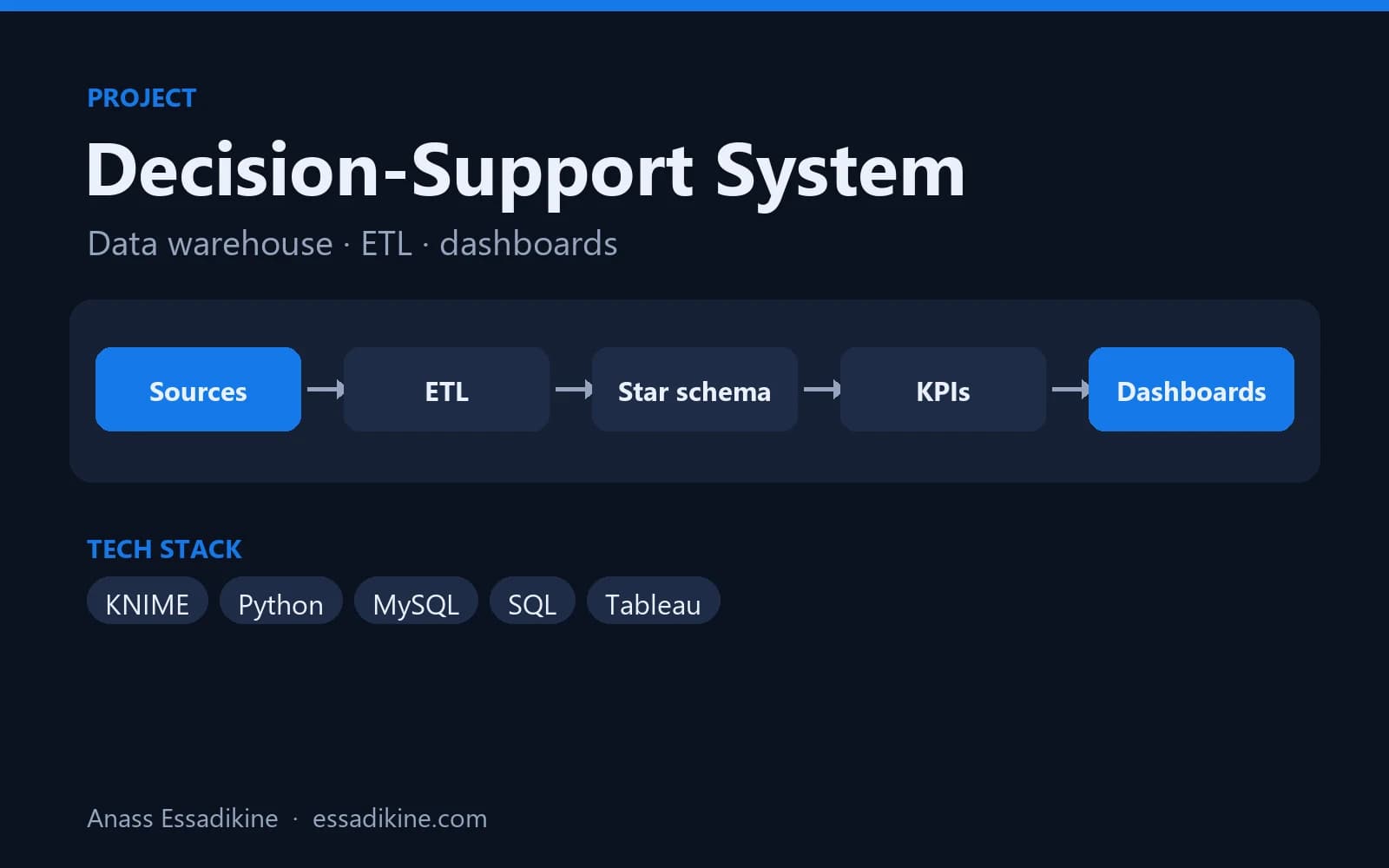
The decision-support system on CNSS-style data is an academic BI project built on this approach: a star schema (fact table and dimensions) modelled for social-security-type data, ETL flows in KNIME and Python to clean and standardise scattered flat files, a MySQL data warehouse, and Tableau dashboards filterable by period, region and category.
Common modelling mistakes
- No defined grain — mixing receipt lines and daily totals in the same fact table produces double counting.
- Using source codes as keys — surrogate keys protect the warehouse when a source system changes its codes.
- Text measures — amounts stored as text cannot be summed reliably.
- No date dimension — every time-based analysis then needs custom date functions.
- Snowflaking everything — splitting dimensions into many sub-tables makes queries and BI models harder; keep dimensions flat when possible.
Conclusion
A data warehouse is not just "a bigger database": it is a model designed to answer business questions with consistent, historised figures. Start with one business process, define the grain, build a fact table and a few dimensions, and grow from there. To go further, the data engineering service and the Data & AI Engineer page describe how such warehouses are designed and fed.

Related projects
 Data Analytics & BIAcademic project · 2025
Decision-Support System for Social Security Data (CNSS)
A star-schema data warehouse fed by ETL flows, with analytics dashboards for decision-makers.
Frequently asked questions
A data warehouse is a type of database, but it is designed for analysis rather than operations. It gathers data from several sources, keeps history and uses a model, usually a star schema, optimised for aggregations.