Spring Boot + React Tutorial: Build a Full-Stack App Step by Step
A complete, runnable tutorial: a Spring Boot 3 REST API with JPA and validation, CORS configured properly, and a React + TypeScript front end built with Vite that lists, creates, updates and deletes data.
To build a full-stack app with Spring Boot and React, you create a REST API in Spring Boot 3 that exposes JSON under /api, allow the React development origin with CORS, and call those endpoints from a React app created with Vite. This tutorial builds a small task manager end to end: entity, repository, controller, CORS, then the React screen that lists, adds, toggles and deletes tasks.
Why combine Spring Boot and React?
Spring Boot gives you a structured, strongly typed back end with mature tooling for data access, validation and security. React gives you a component-based interface that is easy to make interactive. The pairing is common in enterprise projects, and it is the stack behind several real projects in this portfolio:
- the University Housing Management platform (FSBM) uses a Spring Boot REST API with MySQL and a React + Tailwind front end, with JWT for role-based access;
- the D&A Studio platform uses Spring Boot (Java 21) REST APIs on PostgreSQL/PostGIS and a React interface with maps.
The tutorial below is deliberately smaller, but the structure (entity, repository, controller, React API layer) is the same one you extend in larger applications.
What do you need before starting?
| Tool | Version used here | Check with |
|---|---|---|
| JDK | 21 (17 also works with Spring Boot 3) | java -version |
| Node.js | A current LTS release | node -v |
| Build tool | Maven wrapper (generated) | ./mvnw -v |
| Editor | IntelliJ IDEA, VS Code or Eclipse | — |
The back end uses an in-memory H2 database so you can run everything without installing a database server. Switching to MySQL or PostgreSQL later is a configuration change.
Step 1 — How do you create the Spring Boot project?
Generate it with Spring Initializr
Go to start.spring.io and choose:
- Project: Maven, Language: Java, Spring Boot: the latest 3.x release;
- Group:
com.example, Artifact:tasks, Java: 21; - Dependencies: Spring Web, Spring Data JPA, Validation, H2 Database.
Download, unzip and open the project. The main class is com.example.tasks.TasksApplication.
Create the entity
// src/main/java/com/example/tasks/Task.java
package com.example.tasks;

import jakarta.persistence.Entity;
import jakarta.persistence.GeneratedValue;
import jakarta.persistence.GenerationType;
import jakarta.persistence.Id;

@Entity
public class Task {

    @Id
    @GeneratedValue(strategy = GenerationType.IDENTITY)
    private Long id;

    private String title;

    private boolean done;

    protected Task() {
        // required by JPA
    }

    public Task(String title) {
        this.title = title;
    }

    public Long getId() { return id; }

    public String getTitle() { return title; }

    public void setTitle(String title) { this.title = title; }

    public boolean isDone() { return done; }

    public void setDone(boolean done) { this.done = done; }
}
Spring Boot 3 uses the jakarta.persistence package, not javax.persistence. Jackson serialises this object as {"id":1,"title":"...","done":false}.
Create the repository
// src/main/java/com/example/tasks/TaskRepository.java
package com.example.tasks;

import org.springframework.data.jpa.repository.JpaRepository;

public interface TaskRepository extends JpaRepository<Task, Long> {
}
Spring Data generates the implementation: findAll, findById, save, deleteById and more, with no SQL to write.
Step 2 — How do you write the REST controller?
Use a small request record for input instead of binding the entity directly. It keeps clients from setting fields such as id and makes validation explicit.
// src/main/java/com/example/tasks/CreateTaskRequest.java
package com.example.tasks;

import jakarta.validation.constraints.NotBlank;
import jakarta.validation.constraints.Size;

public record CreateTaskRequest(@NotBlank @Size(max = 200) String title) {
}
// src/main/java/com/example/tasks/TaskController.java
package com.example.tasks;

import jakarta.validation.Valid;
import java.util.List;
import org.springframework.http.HttpStatus;
import org.springframework.web.bind.annotation.*;
import org.springframework.web.server.ResponseStatusException;

@RestController
@RequestMapping("/api/tasks")
public class TaskController {

    private final TaskRepository repository;

    public TaskController(TaskRepository repository) {
        this.repository = repository;
    }

    @GetMapping
    public List<Task> findAll() {
        return repository.findAll();
    }

    @PostMapping
    @ResponseStatus(HttpStatus.CREATED)
    public Task create(@Valid @RequestBody CreateTaskRequest request) {
        return repository.save(new Task(request.title().trim()));
    }

    @PatchMapping("/{id}/toggle")
    public Task toggle(@PathVariable Long id) {
        Task task = repository.findById(id)
                .orElseThrow(() -> new ResponseStatusException(HttpStatus.NOT_FOUND, "Task not found"));
        task.setDone(!task.isDone());
        return repository.save(task);
    }

    @DeleteMapping("/{id}")
    @ResponseStatus(HttpStatus.NO_CONTENT)
    public void delete(@PathVariable Long id) {
        if (!repository.existsById(id)) {
            throw new ResponseStatusException(HttpStatus.NOT_FOUND, "Task not found");
        }
        repository.deleteById(id);
    }
}
Constructor injection needs no @Autowired when there is a single constructor. An empty or missing title returns 400 Bad Request thanks to @Valid.
Seed a few rows
Add a CommandLineRunner bean to the main class so the list is not empty on first launch:
// src/main/java/com/example/tasks/TasksApplication.java
package com.example.tasks;

import org.springframework.boot.CommandLineRunner;
import org.springframework.boot.SpringApplication;
import org.springframework.boot.autoconfigure.SpringBootApplication;
import org.springframework.context.annotation.Bean;

@SpringBootApplication
public class TasksApplication {

    public static void main(String[] args) {
        SpringApplication.run(TasksApplication.class, args);
    }

    @Bean
    CommandLineRunner seed(TaskRepository repository) {
        return args -> {
            if (repository.count() == 0) {
                repository.save(new Task("Read the Spring Boot docs"));
                repository.save(new Task("Build the React front end"));
            }
        };
    }
}
Step 3 — How do you configure CORS for React?
During development, React runs on http://localhost:5173 and the API on http://localhost:8080. These are different origins, so the browser blocks the calls unless the API allows them. Configure CORS once, globally:
// src/main/java/com/example/tasks/WebConfig.java
package com.example.tasks;

import org.springframework.beans.factory.annotation.Value;
import org.springframework.context.annotation.Configuration;
import org.springframework.web.servlet.config.annotation.CorsRegistry;
import org.springframework.web.servlet.config.annotation.WebMvcConfigurer;

@Configuration
public class WebConfig implements WebMvcConfigurer {

    @Value("${app.cors.allowed-origins:http://localhost:5173}")
    private String[] allowedOrigins;

    @Override
    public void addCorsMappings(CorsRegistry registry) {
        registry.addMapping("/api/**")
                .allowedOrigins(allowedOrigins)
                .allowedMethods("GET", "POST", "PATCH", "DELETE");
    }
}
The allowed origins come from the app.cors.allowed-origins property (comma-separated), with the Vite URL as the default. In production you set it to your real domain instead of using *. If you later add Spring Security, also enable CORS in the security filter chain with http.cors(Customizer.withDefaults()), otherwise the security filters reject the preflight requests.
Run and test the API
./mvnw spring-boot:run

curl http://localhost:8080/api/tasks
curl -X POST http://localhost:8080/api/tasks \
  -H "Content-Type: application/json" \
  -d '{"title":"Write tests"}'
On Windows, use mvnw.cmd spring-boot:run. The first call returns the two seeded tasks as JSON.
Step 4 — How do you create the React front end with Vite?
npm create vite@latest tasks-ui -- --template react-ts
cd tasks-ui
npm install
Create a .env.development file at the root of tasks-ui:
VITE_API_URL=http://localhost:8080
Write a small API layer
Keep every HTTP call in one file. Components then stay simple, and changing the URL or adding an auth header happens in one place.
// src/api.ts
export type Task = { id: number; title: string; done: boolean };

const API_URL = import.meta.env.VITE_API_URL ?? "http://localhost:8080";

async function request<T>(path: string, init?: RequestInit): Promise<T> {
  const res = await fetch(`${API_URL}/api${path}`, {
    headers: { "Content-Type": "application/json" },
    ...init,
  });
  if (!res.ok) {
    throw new Error(`HTTP ${res.status}`);
  }
  return (res.status === 204 ? undefined : await res.json()) as T;
}

export const getTasks = () => request<Task[]>("/tasks");

export const createTask = (title: string) =>
  request<Task>("/tasks", { method: "POST", body: JSON.stringify({ title }) });

export const toggleTask = (id: number) =>
  request<Task>(`/tasks/${id}/toggle`, { method: "PATCH" });

export const deleteTask = (id: number) =>
  request<void>(`/tasks/${id}`, { method: "DELETE" });
Build the component
Replace the content of src/App.tsx:
// src/App.tsx
import { useEffect, useState, type FormEvent } from "react";
import { createTask, deleteTask, getTasks, toggleTask, type Task } from "./api";

export default function App() {
  const [tasks, setTasks] = useState<Task[]>([]);
  const [title, setTitle] = useState("");
  const [loading, setLoading] = useState(true);
  const [error, setError] = useState<string | null>(null);

  useEffect(() => {
    getTasks()
      .then(setTasks)
      .catch((err: Error) => setError(err.message))
      .finally(() => setLoading(false));
  }, []);

  async function handleSubmit(event: FormEvent<HTMLFormElement>) {
    event.preventDefault();
    if (!title.trim()) return;
    try {
      const created = await createTask(title.trim());
      setTasks((prev) => [...prev, created]);
      setTitle("");
      setError(null);
    } catch (err) {
      setError((err as Error).message);
    }
  }

  async function handleToggle(id: number) {
    try {
      const updated = await toggleTask(id);
      setTasks((prev) => prev.map((t) => (t.id === id ? updated : t)));
    } catch (err) {
      setError((err as Error).message);
    }
  }

  async function handleDelete(id: number) {
    try {
      await deleteTask(id);
      setTasks((prev) => prev.filter((t) => t.id !== id));
    } catch (err) {
      setError((err as Error).message);
    }
  }

  return (
    <main style={{ maxWidth: 480, margin: "2rem auto", fontFamily: "sans-serif" }}>
      <h1>Tasks</h1>

      <form onSubmit={handleSubmit}>
        <input
          value={title}
          onChange={(e) => setTitle(e.target.value)}
          placeholder="New task"
          aria-label="New task"
        />
        <button type="submit">Add</button>
      </form>

      {error && <p role="alert">Error: {error}</p>}
      {loading && <p>Loading...</p>}
      {!loading && tasks.length === 0 && <p>No tasks yet.</p>}

      <ul>
        {tasks.map((task) => (
          <li key={task.id}>
            <label>
              <input
                type="checkbox"
                checked={task.done}
                onChange={() => handleToggle(task.id)}
              />
              {task.title}
            </label>
            <button onClick={() => handleDelete(task.id)}>Delete</button>
          </li>
        ))}
      </ul>
    </main>
  );
}
Start it with npm run dev and open http://localhost:5173. With the API running, you see the seeded tasks and can add, check and delete them. In development, React's Strict Mode runs effects twice, so you may see two GET requests in the network tab; that is expected.
Step 5 — How do you go from tutorial to real project?
| Next step | What to add |
|---|---|
| Real database | Add the MySQL or PostgreSQL driver and set spring.datasource.url, username and password; use Flyway or Liquibase for migrations |
| Layers | Move logic into a @Service and return DTOs instead of entities |
| Security | Spring Security with JWT and roles, as in the FSBM housing project |
| Errors | A @RestControllerAdvice that returns consistent JSON errors |
| Tests | @WebMvcTest for controllers, @DataJpaTest for repositories, Vitest for React |
| Deployment | One Docker image per side, or build React and serve it from Spring Boot's static folder; a CI/CD pipeline as in the Kubernetes CI/CD article |
Common errors and fixes
- CORS error in the browser console: the origin in
WebConfigdoes not exactly match the React URL (protocol and port included). ERR_CONNECTION_REFUSED: the API is not running, orVITE_API_URLis wrong. Restartnpm run devafter editing.envfiles.400 Bad Requeston POST: missingContent-Type: application/jsonheader or empty title.javax.persistencenot found: code written for Spring Boot 2; usejakarta.persistence.
For more detail on the back-end side, the official Spring guide on building a RESTful web service is a good reference.
Conclusion
A Spring Boot + React application rests on three pieces: a clean REST API, a correct CORS configuration and a thin API layer on the front end. Once this skeleton works, adding security, a real database and deployment is incremental. To see where this stack fits in a broader skill set, read the full-stack developer roadmap or visit the full-stack developer profile.

Related projects
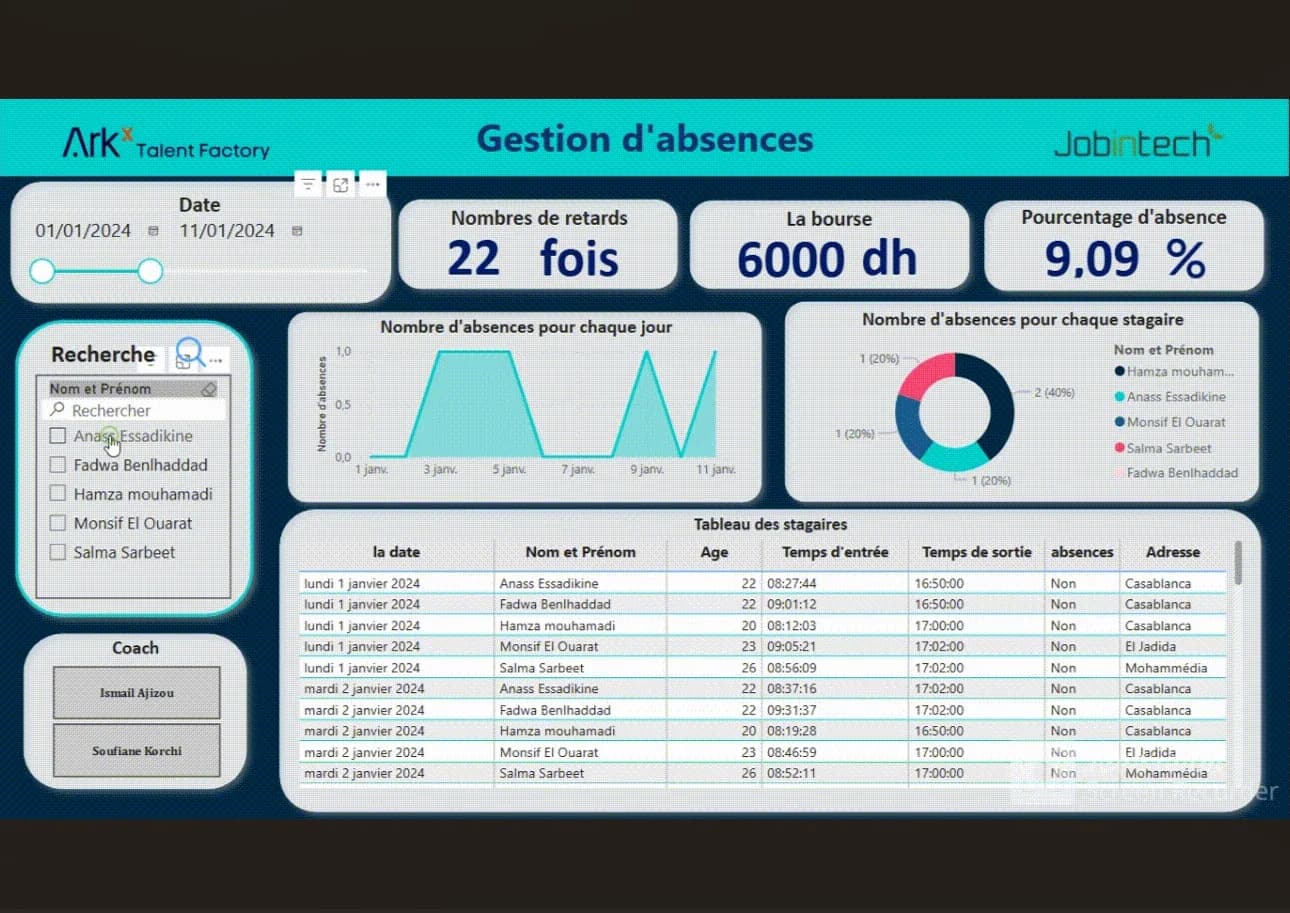 Software EngineeringAcademic project · 2024
University Housing Management (FSBM)
A secure platform for managing student housing requests, allocations and payments end-to-end.
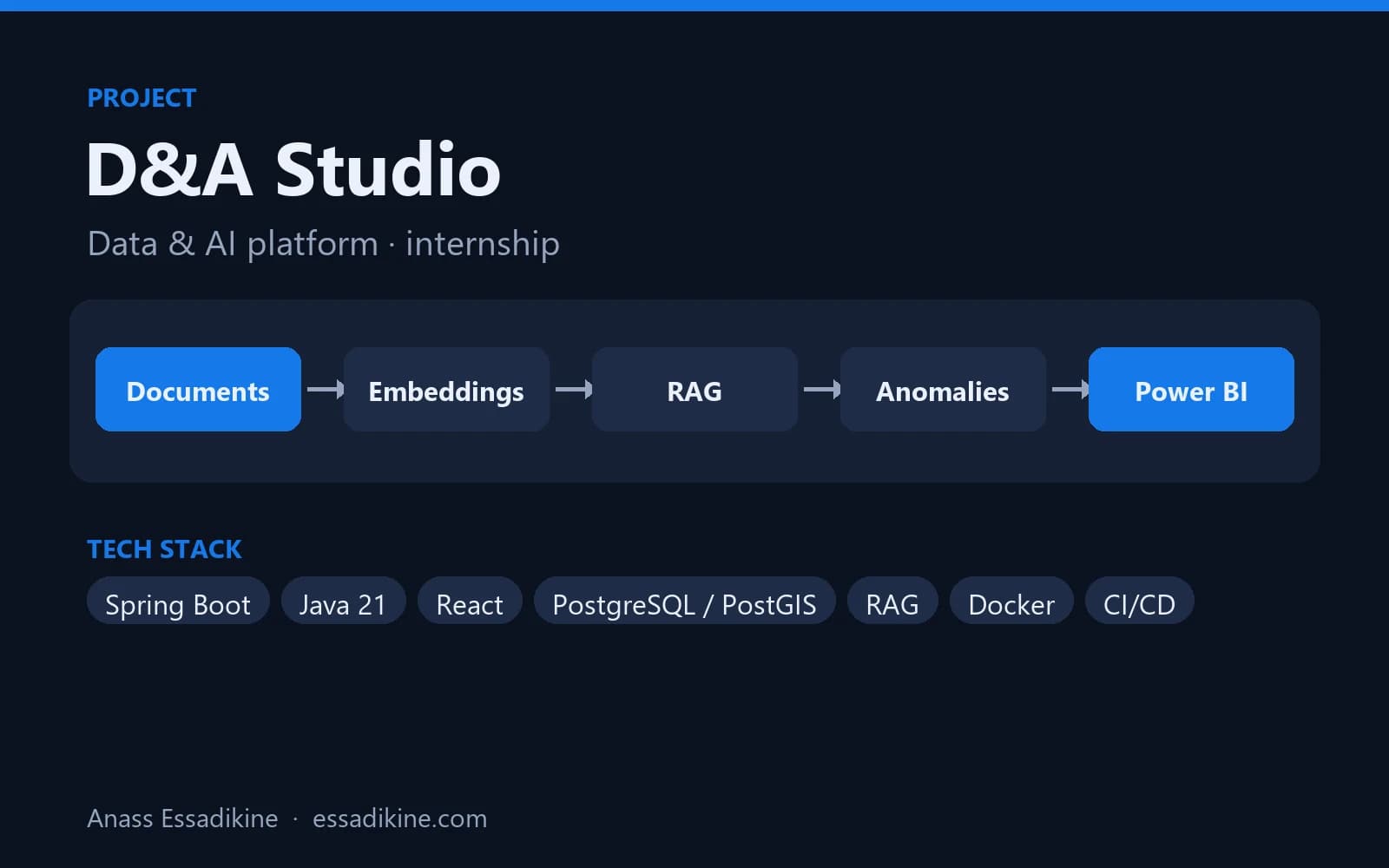 AI & AutomationInternship · 2026
D&A Studio — Data & AI Platform (PaaS)
A platform that brings geospatial tracking data, an AI assistant on company documents, anomaly detection and BI dashboards into one place.
Frequently asked questions
Expose JSON endpoints with a @RestController, allow the React origin with a CORS configuration, and call the endpoints from React with fetch or Axios. Keep the API base URL in a Vite environment variable such as VITE_API_URL.