SQL Queries for Data Analysis: 10 Practical Examples (PostgreSQL)
Ten SQL queries that answer real business questions, from revenue by city to month-over-month growth and repeat customers, all on one consistent sales schema.
Which SQL queries does a data analyst really use?
A handful of patterns cover most day-to-day analysis: filter rows (WHERE), aggregate them (GROUP BY, HAVING), combine tables (JOIN), structure the logic in steps (WITH / CTE) and compare rows with each other (window functions). If you master the ten queries below, you can answer most questions a sales, finance or marketing team will ask, and pass most SQL interview tests.
All examples use PostgreSQL syntax and the same small sales schema, so you can run them one after the other. Amounts are in MAD.
The example schema
Four tables: customers, products, orders and the lines of each order. Revenue is always computed from order_items (quantity × unit price at the time of sale), and only delivered orders count.
CREATE TABLE customers (
    customer_id  INTEGER PRIMARY KEY,
    full_name    TEXT NOT NULL,
    city         TEXT,
    signup_date  DATE NOT NULL
);

CREATE TABLE products (
    product_id    INTEGER PRIMARY KEY,
    product_name  TEXT NOT NULL,
    category      TEXT NOT NULL,
    unit_price    NUMERIC(10, 2) NOT NULL
);

CREATE TABLE orders (
    order_id     INTEGER PRIMARY KEY,
    customer_id  INTEGER NOT NULL REFERENCES customers (customer_id),
    order_date   DATE NOT NULL,
    status       TEXT NOT NULL CHECK (status IN ('pending', 'delivered', 'cancelled'))
);

CREATE TABLE order_items (
    order_id    INTEGER NOT NULL REFERENCES orders (order_id),
    product_id  INTEGER NOT NULL REFERENCES products (product_id),
    quantity    INTEGER NOT NULL CHECK (quantity > 0),
    unit_price  NUMERIC(10, 2) NOT NULL,
    PRIMARY KEY (order_id, product_id)
);
| Table | Grain (one row = …) | Key columns |
|---|---|---|
| customers | one customer | customer_id, city, signup_date |
| products | one product | product_id, category, unit_price |
| orders | one order | order_id, customer_id, order_date, status |
| order_items | one product line in an order | order_id, product_id, quantity, unit_price |
Knowing the grain of each table is what prevents double counting later. The same idea is at the heart of a star schema in Power BI.
How do you filter and sort data in SQL?
1. Delivered orders from Casablanca since January
SELECT
    o.order_id,
    o.order_date,
    c.full_name
FROM orders AS o
JOIN customers AS c ON c.customer_id = o.customer_id
WHERE c.city = 'Casablanca'
  AND o.status = 'delivered'
  AND o.order_date >= DATE '2026-01-01'
ORDER BY o.order_date DESC
LIMIT 20;
Use the DATE '…' literal for dates and always add ORDER BY when you use LIMIT, otherwise the rows returned are not guaranteed.
How do you aggregate data with GROUP BY and HAVING?
2. Revenue and orders by city
SELECT
    c.city,
    COUNT(DISTINCT o.order_id)        AS delivered_orders,
    SUM(oi.quantity * oi.unit_price)  AS revenue_mad
FROM orders AS o
JOIN customers   AS c  ON c.customer_id = o.customer_id
JOIN order_items AS oi ON oi.order_id   = o.order_id
WHERE o.status = 'delivered'
GROUP BY c.city
HAVING COUNT(DISTINCT o.order_id) >= 10
ORDER BY revenue_mad DESC;
WHERE filters rows before grouping; HAVING filters groups after aggregation. Here, only cities with at least 10 delivered orders are kept. COUNT(DISTINCT o.order_id) is needed because the join with order_items multiplies rows: one order with three lines would otherwise be counted three times.
3. Revenue share by category
SELECT
    p.category,
    SUM(oi.quantity)                  AS units_sold,
    SUM(oi.quantity * oi.unit_price)  AS revenue_mad,
    ROUND(
        100.0 * SUM(oi.quantity * oi.unit_price)
        / SUM(SUM(oi.quantity * oi.unit_price)) OVER (),
        1
    )                                 AS share_of_revenue_pct
FROM order_items AS oi
JOIN orders   AS o ON o.order_id   = oi.order_id
JOIN products AS p ON p.product_id = oi.product_id
WHERE o.status = 'delivered'
GROUP BY p.category
ORDER BY revenue_mad DESC;
The expression SUM(SUM(…)) OVER () is a window function applied on top of the aggregate: it returns the grand total on every row, which gives each category's share without a second query.
4. Average and median order value
WITH order_totals AS (
    SELECT
        o.order_id,
        SUM(oi.quantity * oi.unit_price) AS order_total
    FROM orders AS o
    JOIN order_items AS oi ON oi.order_id = o.order_id
    WHERE o.status = 'delivered'
    GROUP BY o.order_id
)
SELECT
    COUNT(*)                                                 AS orders,
    ROUND(AVG(order_total), 2)                               AS avg_order_value_mad,
    percentile_cont(0.5) WITHIN GROUP (ORDER BY order_total) AS median_order_value_mad,
    MAX(order_total)                                         AS max_order_value_mad
FROM order_totals;
The CTE first computes one total per order (the right grain), then the outer query aggregates. Always look at the median next to the average: a few very large orders can pull the average far from a "typical" basket.
How do you find missing records with a LEFT JOIN?
5. Customers who never received an order
SELECT
    c.customer_id,
    c.full_name,
    c.city,
    c.signup_date
FROM customers AS c
LEFT JOIN orders AS o
       ON o.customer_id = c.customer_id
      AND o.status = 'delivered'
WHERE o.order_id IS NULL
ORDER BY c.signup_date;
This is the classic anti-join. The status filter is placed in the ON clause, not in WHERE: putting it in WHERE would remove the customers without orders and the query would return nothing useful. The same result can be written with NOT EXISTS, which many teams find more readable.
How do you create segments with CASE WHEN?
6. Orders by basket size
WITH order_totals AS (
    SELECT
        o.order_id,
        SUM(oi.quantity * oi.unit_price) AS order_total
    FROM orders AS o
    JOIN order_items AS oi ON oi.order_id = o.order_id
    WHERE o.status = 'delivered'
    GROUP BY o.order_id
)
SELECT
    CASE
        WHEN order_total < 1000 THEN '1. < 1,000 MAD'
        WHEN order_total < 5000 THEN '2. 1,000-4,999 MAD'
        ELSE '3. >= 5,000 MAD'
    END               AS basket_size,
    COUNT(*)          AS orders,
    SUM(order_total)  AS revenue_mad
FROM order_totals
GROUP BY 1
ORDER BY 1;
The numeric prefix in each label keeps the segments in a logical order when sorting by text. Adjust the thresholds to your own business.
How do you calculate month-over-month growth in SQL?
7. Monthly revenue, growth and year-to-date total
WITH monthly AS (
    SELECT
        date_trunc('month', o.order_date)::date AS month,
        SUM(oi.quantity * oi.unit_price)        AS revenue_mad
    FROM orders AS o
    JOIN order_items AS oi ON oi.order_id = o.order_id
    WHERE o.status = 'delivered'
    GROUP BY 1
)
SELECT
    month,
    revenue_mad,
    LAG(revenue_mad) OVER (ORDER BY month) AS previous_month_mad,
    ROUND(
        100.0 * (revenue_mad - LAG(revenue_mad) OVER (ORDER BY month))
        / NULLIF(LAG(revenue_mad) OVER (ORDER BY month), 0),
        1
    )                                      AS mom_growth_pct,
    SUM(revenue_mad) OVER (
        PARTITION BY EXTRACT(YEAR FROM month)
        ORDER BY month
    )                                      AS ytd_revenue_mad
FROM monthly
ORDER BY month;
- date_trunc('month', …) groups all dates of a month together.
- LAG() reads the previous month's value on the same row.
- NULLIF(…, 0) avoids a division-by-zero error.
- SUM() OVER (PARTITION BY year ORDER BY month) gives a running year-to-date total that restarts each January.
This is the SQL equivalent of the "versus last month" comparison every KPI card should show (what makes a good KPI).
How do you rank and deduplicate rows with window functions?
8. Top 3 products per category
WITH product_sales AS (
    SELECT
        p.category,
        p.product_name,
        SUM(oi.quantity * oi.unit_price) AS revenue_mad
    FROM order_items AS oi
    JOIN orders   AS o ON o.order_id   = oi.order_id
    JOIN products AS p ON p.product_id = oi.product_id
    WHERE o.status = 'delivered'
    GROUP BY p.category, p.product_name
),
ranked AS (
    SELECT
        category,
        product_name,
        revenue_mad,
        DENSE_RANK() OVER (PARTITION BY category ORDER BY revenue_mad DESC) AS rnk
    FROM product_sales
)
SELECT category, product_name, revenue_mad, rnk
FROM ranked
WHERE rnk <= 3
ORDER BY category, rnk;
DENSE_RANK() gives the same rank to ties and does not skip numbers; RANK() would skip, ROW_NUMBER() would break ties arbitrarily. Choose deliberately.
9. Last order per customer (and days since)
WITH ranked_orders AS (
    SELECT
        o.customer_id,
        o.order_id,
        o.order_date,
        ROW_NUMBER() OVER (
            PARTITION BY o.customer_id
            ORDER BY o.order_date DESC, o.order_id DESC
        ) AS rn
    FROM orders AS o
    WHERE o.status = 'delivered'
)
SELECT
    customer_id,
    order_id                  AS last_order_id,
    order_date                AS last_order_date,
    CURRENT_DATE - order_date AS days_since_last_order
FROM ranked_orders
WHERE rn = 1
ORDER BY days_since_last_order DESC;
ROW_NUMBER() with PARTITION BY is the standard way to keep one row per group, which is also how you deduplicate data in pipelines. PostgreSQL offers a shorter equivalent:
SELECT DISTINCT ON (customer_id)
    customer_id,
    order_id,
    order_date
FROM orders
WHERE status = 'delivered'
ORDER BY customer_id, order_date DESC, order_id DESC;
Subtracting two DATE values in PostgreSQL returns a number of days, which makes recency calculations simple.
How do you measure customer retention in SQL?
10. Repeat purchase rate within 90 days, by first-order cohort
WITH first_orders AS (
    SELECT
        customer_id,
        MIN(order_date) AS first_order_date
    FROM orders
    WHERE status = 'delivered'
    GROUP BY customer_id
),
repeaters AS (
    SELECT DISTINCT f.customer_id
    FROM first_orders AS f
    JOIN orders AS o
      ON o.customer_id = f.customer_id
     AND o.status = 'delivered'
     AND o.order_date >  f.first_order_date
     AND o.order_date <= f.first_order_date + 90
)
SELECT
    date_trunc('month', f.first_order_date)::date      AS cohort_month,
    COUNT(*)                                           AS new_customers,
    COUNT(r.customer_id)                               AS repeat_within_90_days,
    ROUND(100.0 * COUNT(r.customer_id) / COUNT(*), 1)  AS repeat_rate_pct
FROM first_orders AS f
LEFT JOIN repeaters AS r ON r.customer_id = f.customer_id
GROUP BY 1
ORDER BY 1;
Each customer is assigned to the month of their first delivered order (their cohort), then the query checks whether they ordered again within 90 days. Adding an integer to a DATE in PostgreSQL adds days. This is a simple, explainable retention KPI.
How do you check data quality before analysing?
Before trusting any of the numbers above, run a few checks on each table:
SELECT
    COUNT(*)                               AS total_rows,
    COUNT(*) - COUNT(city)                 AS missing_city,
    COUNT(*) - COUNT(DISTINCT customer_id) AS duplicate_ids,
    MIN(signup_date)                       AS first_signup,
    MAX(signup_date)                       AS last_signup
FROM customers;

SELECT
    lower(trim(full_name)) AS normalised_name,
    city,
    COUNT(*)               AS occurrences
FROM customers
GROUP BY lower(trim(full_name)), city
HAVING COUNT(*) > 1;
COUNT(column) ignores NULLs, so COUNT(*) − COUNT(city) gives the number of missing cities. The second query catches near-duplicate customers whose names only differ by case or spaces. Systematic checks like these are covered in more depth in data quality and anomaly detection.
SQL cheat sheet: question → technique
| Business question | SQL technique |
|---|---|
| Which rows match a condition? | WHERE, ORDER BY, LIMIT |
| Total or average per group? | GROUP BY + SUM / AVG / COUNT |
| Keep only significant groups? | HAVING |
| Combine customers, orders, products? | INNER JOIN |
| Who has never done X? | LEFT JOIN … IS NULL or NOT EXISTS |
| Multi-step logic? | WITH (CTE) |
| Compare with previous period? | LAG() OVER (ORDER BY …) |
| Running or year-to-date total? | SUM() OVER (PARTITION BY … ORDER BY …) |
| Top N per group, deduplication? | ROW_NUMBER / DENSE_RANK |
| Typical value robust to outliers? | percentile_cont(0.5) WITHIN GROUP |
Common mistakes to avoid
- Double counting after a join: aggregate at the right grain first (CTE), then join.
- Filtering a LEFT JOIN in WHERE: it silently becomes an inner join.
- Integer division: in PostgreSQL, 1 / 3 returns 0; multiply by 100.0 to force decimals.
- Forgetting NULLs: NULL = NULL is not true; use IS NULL and COALESCE.
- Comparing timestamps to dates loosely: be explicit about boundaries (>= start, < next start).
The official PostgreSQL documentation on window functions is an excellent next read.
Conclusion
Ten patterns, one schema: filtering, grouping, joining, CTEs, CASE segments, period comparisons, ranking, deduplication, cohorts and data checks. Together they cover most of what a data analyst writes every week and what data engineers use inside pipelines. The same SQL foundations were used to prepare and query the warehouse in the CNSS decision-support project.
If you are building your skills, see the data analyst roadmap for Morocco. If you need reliable SQL pipelines for your own data, have a look at the data engineering service.

Related projects
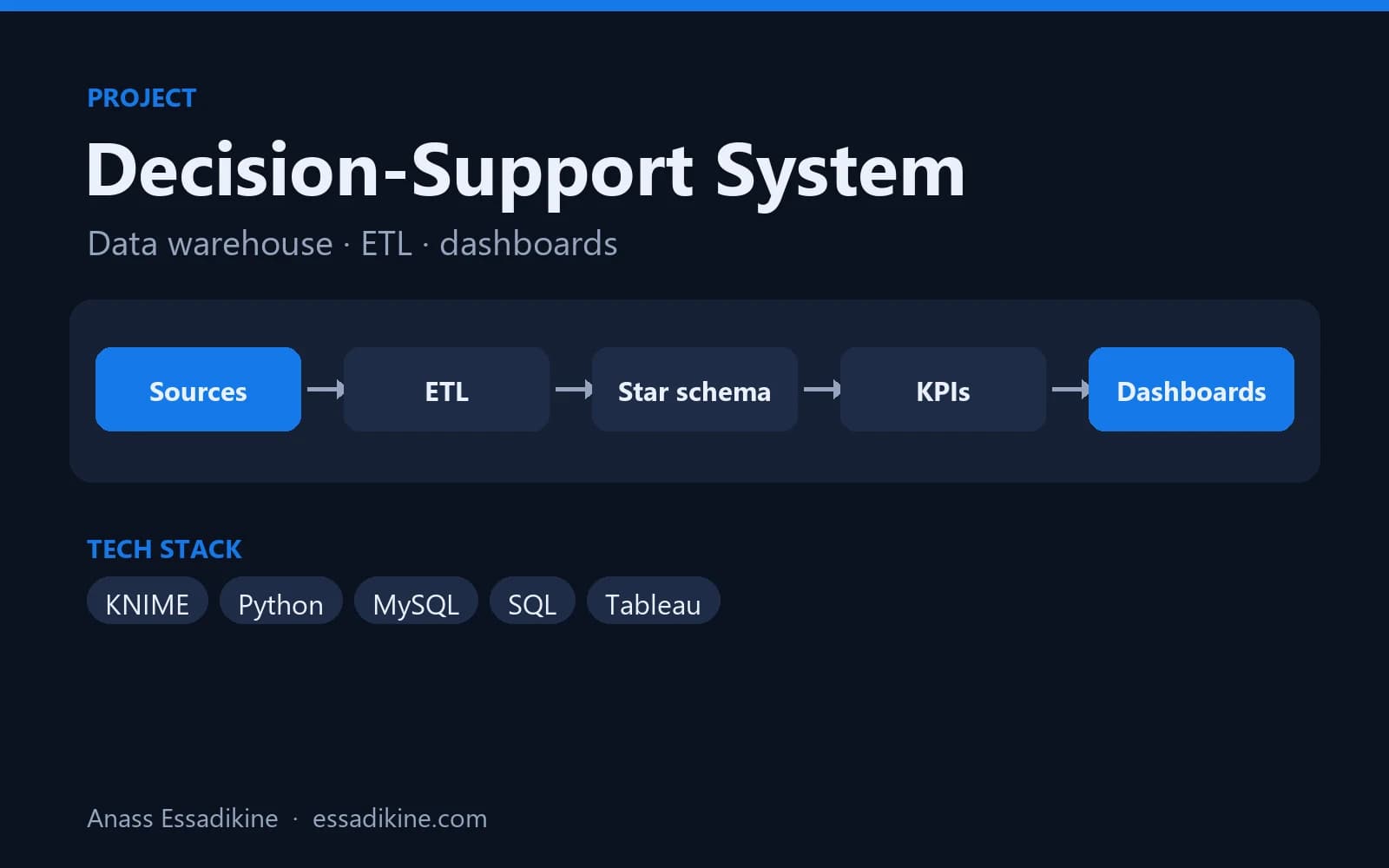 Data Analytics & BIAcademic project · 2025
Decision-Support System for Social Security Data (CNSS)
A star-schema data warehouse fed by ETL flows, with analytics dashboards for decision-makers.
Frequently asked questions
The core of SQL is the same across PostgreSQL, MySQL, SQL Server, BigQuery and Snowflake. PostgreSQL is a good choice to learn because it is free, follows the standard closely and supports window functions, CTEs and advanced aggregates.